Presentations are easier to manage when you can move around the room while controlling your slides. The best wireless presentation clickers allow presenters to advance or return to slides without staying next to a laptop. With the right remote, you can focus more on your audience and less on your computer.
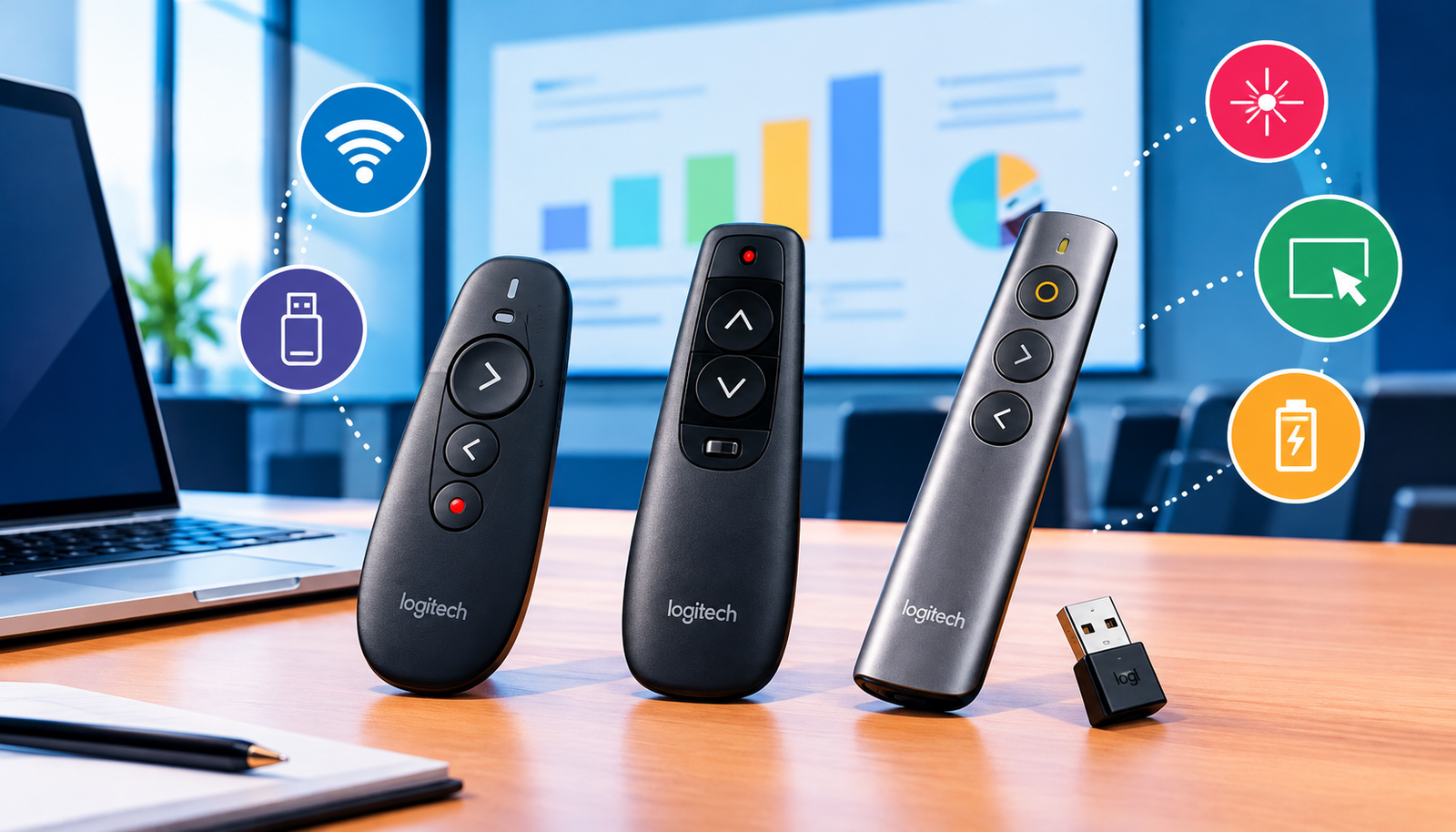
Different presentation clickers provide different features. Some focus on simple forward and backward controls, while others include laser pointers, digital highlighting, magnification, and annotation tools. This guide explains the important features of the best wireless presentation clickers and compares three Logitech models: the R500s, R400, and Spotlight 2.
What Are Wireless Presentation Clickers?
A wireless presentation clicker is a handheld remote that communicates with a computer and lets you control a presentation from a distance. Its primary purpose is to move between slides without requiring you to stand beside your laptop.
Many best wireless presentation clickers connect using a small USB receiver. You insert the receiver into the computer and use the remote to control the presentation. Some models also support Bluetooth, eliminating the need for a separate receiver during connection.
The clicker itself normally does not create or store your presentation. Instead, your computer continues running the slides while the remote sends commands. It works similarly to a television remote, where the handheld device sends instructions to another device.
What Should You Look for in the Best Wireless Presentation Clickers?
Choosing among the best wireless presentation clickers depends on your computer, presentation environment, and required features.
The first thing to examine is the button layout. Important controls should be easy to find without constantly looking down. Well-spaced or differently shaped buttons can make presentations more comfortable.
Connection type is another important consideration. A USB receiver may provide simple setup, while Bluetooth can be useful when your computer has limited USB ports.
Pointer technology also matters. Some best wireless presentation clickers use physical red lasers, while others provide digital pointing tools through compatible software.
You should also consider software requirements, battery or charging needs, wireless range, and compatibility with your computer.
Logitech R500s: Simple Controls and Flexible Connections
The Logitech R500s is one option for users who want straightforward controls combined with connection flexibility.
It features three buttons, a red laser pointer, and support for both a USB receiver and Bluetooth Low Energy. Logitech lists its wireless range as up to 20 meters, although actual performance can vary depending on the room and computer environment.
The R500s also has a rubber surface and textured buttons designed to provide grip. The optional Logi Options+ application allows users to customize button functions and check battery information.
For people comparing the best wireless presentation clickers, the R500s can be a practical starting point when simple controls are more important than advanced presentation effects.
One limitation concerns its red laser. Logitech notes that a red laser dot can be harder to see on LCD and plasma displays. Therefore, presenters who frequently use television-style screens may want to consider whether digital highlighting would be more suitable.
Logitech R400: Straightforward Slide Control
The Logitech R400 is another simple option for presenters who primarily need basic slide navigation.
It connects through a USB receiver and provides a plug-and-play setup without requiring additional software. The receiver can also be stored inside the remote when it is not being used.
The R400 includes a red laser pointer and battery indicator. Its listed wireless range is up to 15 meters, though actual performance depends on environmental conditions.
Its button arrangement is designed so users can locate controls by touch. This can be helpful when you want to keep your attention on the audience instead of looking down at the remote.
Among the best wireless presentation clickers, the R400 is better suited to people who prefer a receiver-based setup and basic presentation controls.
Before purchasing, check the requirements for your computer and USB port. A USB receiver is only useful when your laptop or presentation computer provides a suitable connection.
Logitech Spotlight 2: Advanced Digital Highlighting
The Logitech Spotlight 2 is designed for presenters who need more than basic slide navigation.
It provides digital presentation tools including Spotlight, Magnify, Squarelight, and Annotate. These features can help presenters draw attention to specific areas, enlarge details, or mark parts of a slide.
The remote includes both a digital pointer and a physical laser. It supports Bluetooth as well as the included Logi Bolt USB-C receiver. Logitech lists its wireless range as up to 30 meters.
Another feature is haptic feedback, which provides small physical pulses during certain actions.
The Logi Options+ software supports the Spotlight 2’s digital tools and custom actions. Therefore, users should confirm that the application can be installed and used on the computer they plan to use for presentations.
For those looking through the best wireless presentation clickers, the Spotlight 2 is a stronger choice when digital highlighting is genuinely useful.
Laser Pointer vs. Digital Pointer
When comparing the best wireless presentation clickers, it is important to understand the difference between physical and digital pointers.
A laser pointer produces an actual dot of light that appears on the presentation surface. A digital pointer, by contrast, creates a pointer effect through the computer and compatible software.
A physical laser can be less noticeable on certain television or LCD displays. It also does not automatically become part of the computer’s shared presentation image during online meetings.
A digital pointer may be more useful when presenting through a screen or sharing content online. However, you should test how the pointer behaves with your specific screen-sharing setup.
Think about where your audience will view the presentation before deciding which type is more useful.
How Much Wireless Range Do You Need?
Wireless range indicates how far a remote can potentially operate from its connected computer. Manufacturers commonly describe range using terms such as “up to,” meaning the stated figure represents a maximum listed distance rather than a guarantee for every environment.
The best wireless presentation clickers do not necessarily need the longest range. A small meeting room may require very little distance, while a large presentation room could benefit from additional range.
Consider the farthest point where you expect to stand. Testing the clicker from that position before your presentation is a useful precaution.
USB Receiver or Bluetooth?
Both connection methods have advantages. USB receivers can be convenient because they usually provide a direct connection, but you need to keep the receiver with the remote.
Bluetooth avoids requiring a receiver for the connection. However, the remote must be paired with the computer.
When comparing the best wireless presentation clickers, consider how frequently you change computers and how many ports your laptop has.
Regardless of connection type, test the remote before the presentation starts.
Check Software, Buttons, and Power
Before purchasing one of the best wireless presentation clickers, review the current requirements for your computer. Some advanced features may depend on particular software.
Also consider your presentation application. Basic slide navigation is different from using custom shortcuts, digital highlighting, or annotation features.
Button comfort is equally important. Make sure your thumb can easily reach the main controls and that neighboring buttons are not confusing.
Power requirements should also be checked. Determine whether the device uses replaceable batteries or requires charging, and check its power level before an important presentation.
Which of the Best Wireless Presentation Clickers Should You Choose?
The R500s is suitable when you want simple controls combined with USB and Bluetooth connectivity. The R400 is appropriate for users who prefer basic slide control through a USB receiver.
The Spotlight 2 is worth considering when digital highlighting, magnification, and annotation are important to your presentation style.
Ultimately, the best wireless presentation clickers are not necessarily the ones with the largest number of features. The right model is the one that works comfortably with your computer, screen, software, and presentation requirements.
FAQs
What are the best wireless presentation clickers for simple presentations?
The Logitech R500s and R400 are suitable options for simple slide control. The R500s offers USB and Bluetooth connectivity, while the R400 uses a USB receiver.
Which of the best wireless presentation clickers has the longest listed range?
Among the three models discussed, the Logitech Spotlight 2 has the longest listed range at up to 30 meters. Actual range can vary by environment.
Is Bluetooth better than a USB receiver?
Neither connection is universally better. Bluetooth can save a USB port, while a receiver can provide a straightforward connection. Your computer setup should determine the better option.
Do wireless presentation clickers work with every computer?
Compatibility can vary. Always check the manufacturer’s current computer and software requirements before buying.
Is a digital pointer better than a laser pointer?
It depends on your presentation setup. A laser produces a physical dot, while a digital pointer can provide screen-based highlighting. Consider your display and online presentation needs.
Which clicker is best for digital highlighting?
The Logitech Spotlight 2 is designed with digital highlighting tools such as Spotlight, Magnify, Squarelight, and Annotate.
Conclusion
The best wireless presentation clickers can make presentations easier by allowing you to control slides while moving around the room. The Logitech R500s, R400, and Spotlight 2 provide different combinations of connectivity, range, pointing, and presentation features.
Before choosing, consider your computer connection, display type, required controls, software needs, wireless range, and power requirements. Testing your chosen remote before the presentation can also help prevent unexpected problems.